For DeLaval VMS farms
Farm Tools
Herd Home · Draft · Dose · Sync · Remote. Small programs that run on the DelPro PC and read straight from DelPro. Nothing lives in the cloud.
Built on our own two-robot farm. Works with any number of robots.
For DeLaval VMS farms
Herd Home · Draft · Dose · Sync · Remote. Small programs that run on the DelPro PC and read straight from DelPro. Nothing lives in the cloud.
Built on our own two-robot farm. Works with any number of robots.
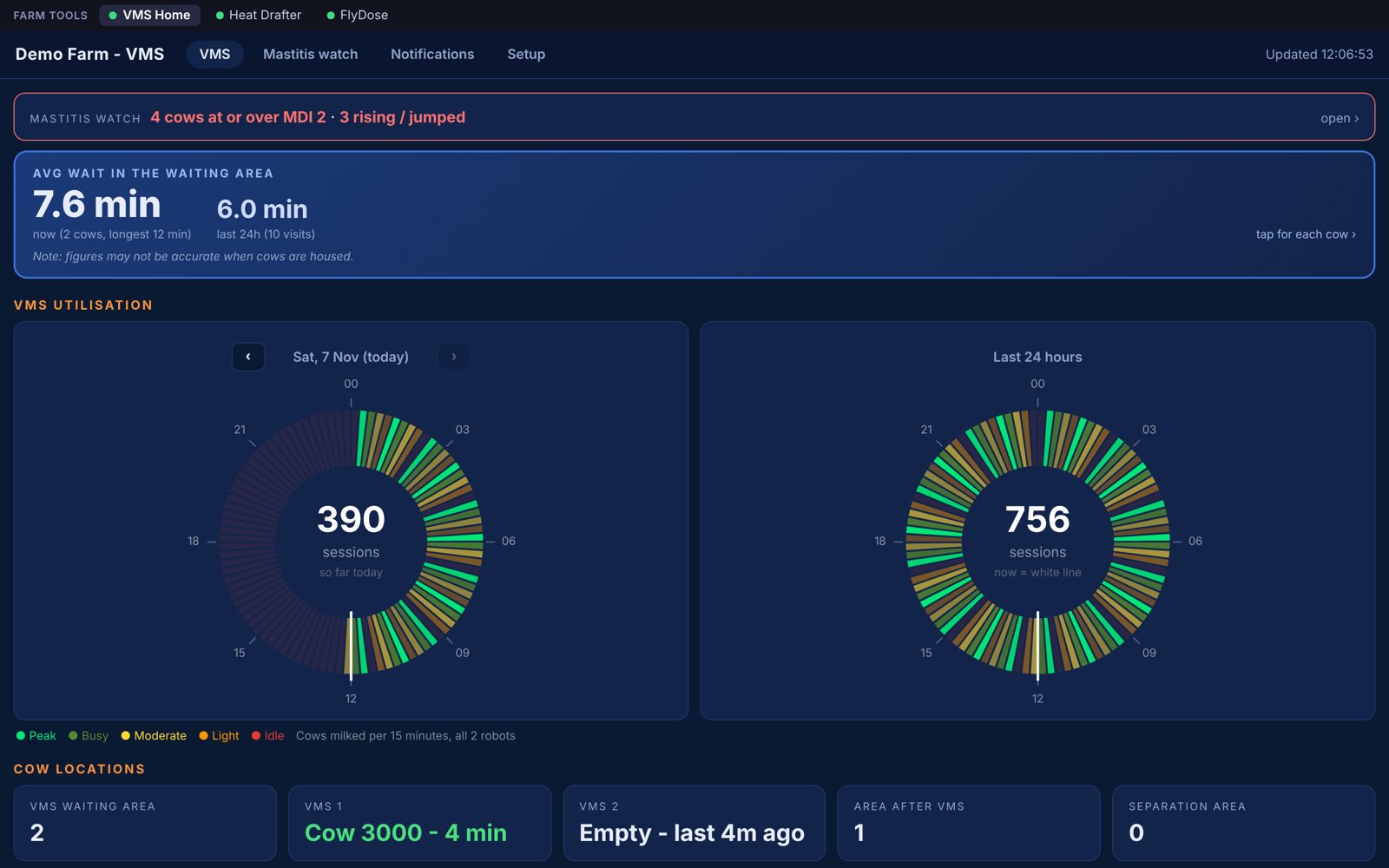
Home screen
Robots, cow areas, waiting times, cow flow and the mastitis watch.
Breeding
Puts heats into DelPro and drafts cows for the AI tech.
Summer
A pump at each robot doses every cow with fly repellent.
Milk results
Brings milk results from your farm management software into DelPro.
Away from the farm
Look at it all from your phone, safely.
Pick the ones you want. Each one runs on its own, so if one has a problem the others keep going.
Home, Draft, Sync and Dose are all in the burger menu at the top of every page.
You can see at a glance that each program is alive.
Under Licence & updates, a little list shows which services are working: DelPro, imports, alerts and so on.
Means there is an update waiting for you.
Average wait now and over 24 hours, from DelPro's own arrival and departure times.
Cows into the robots every 15 minutes: today, the last 24 hours, or any past day.
Tap any area to see which cows are in it.
For each robot:
One robot or four: they're found in DelPro automatically.
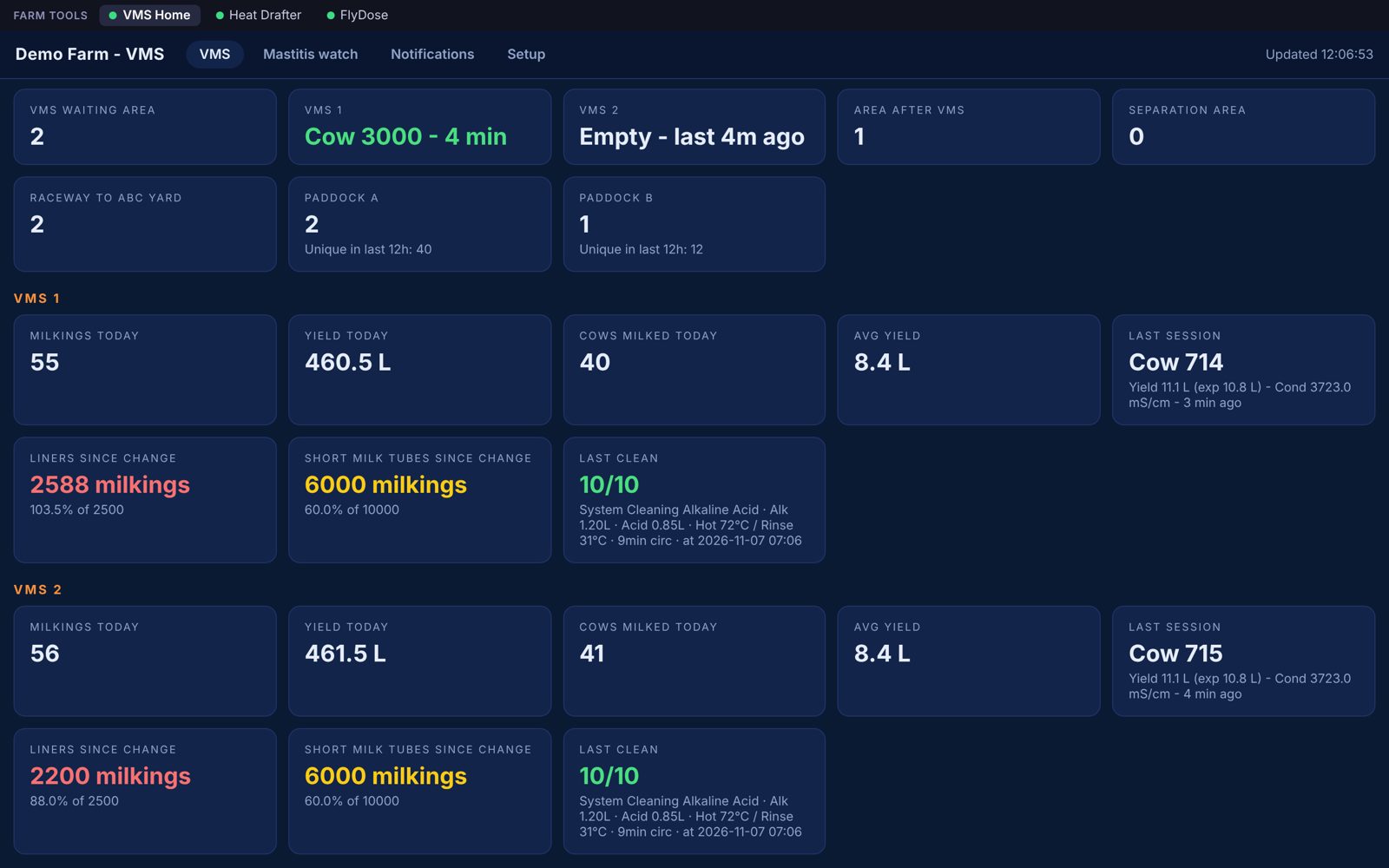
Any cow with an MDI over your limit, her last three milkings, and which way she's heading.
Over the limit, then higher at the next milking.
A big rise in one milking.
Either one can send you a Telegram alert.
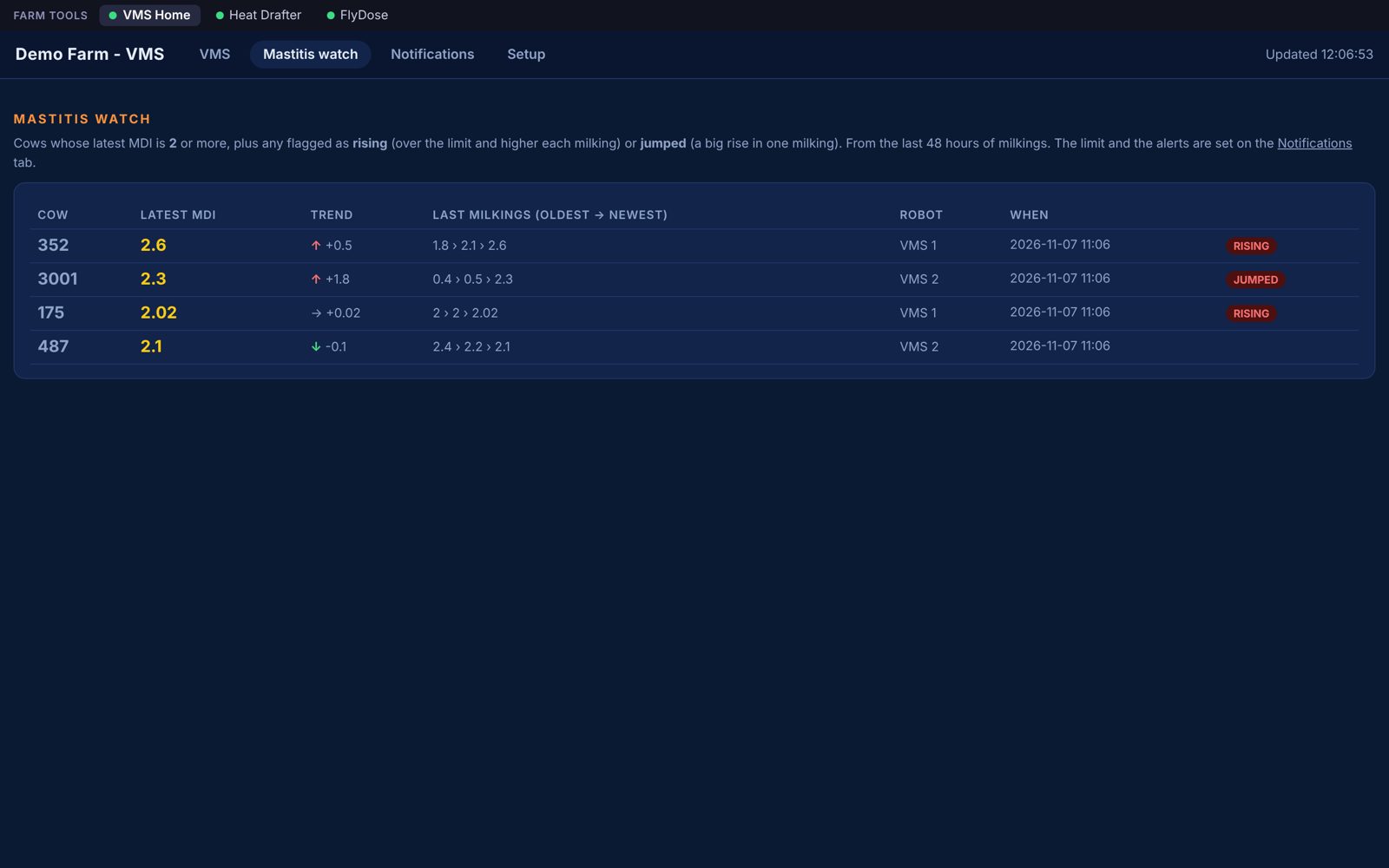
It reads the heat email you already get, then does the boring bits for you:
Turn AI Season off and drafting stops. Heats are still recorded.
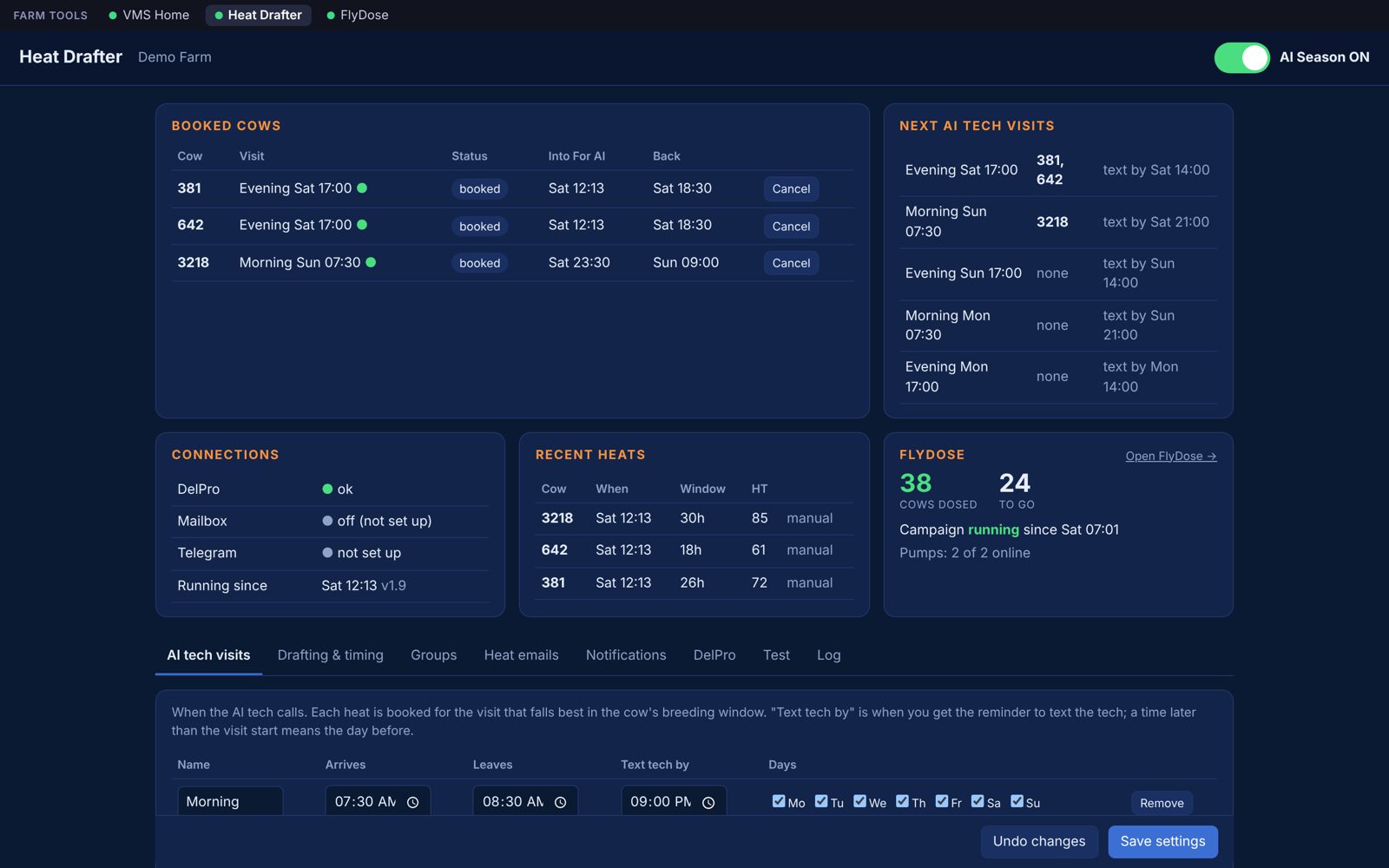
Works with any heat detection service that sends an email alert. No new collars or boluses are needed. Whatever system the farm already has sends its alert by email as usual, and Herd Draft reads that email, takes the cow, her heat index and breeding window from it, and records the heat in DelPro.
Your heat detection emails the cow, heat index and breeding window
Heat event saved in DelPro
For the tech visit in her best window
Into the For AI group hours before, so the gate sends her to the pen
To her own group after the visit
It checks her group in DelPro before and after every move. If she's been dried off or moved by hand, she's left alone and you're told.
The timing is all configurable: the tech's visit times, how many hours before a visit to start drafting, and when to move her back. Each step can send a Telegram message, and a booking alert has a Cancel button.
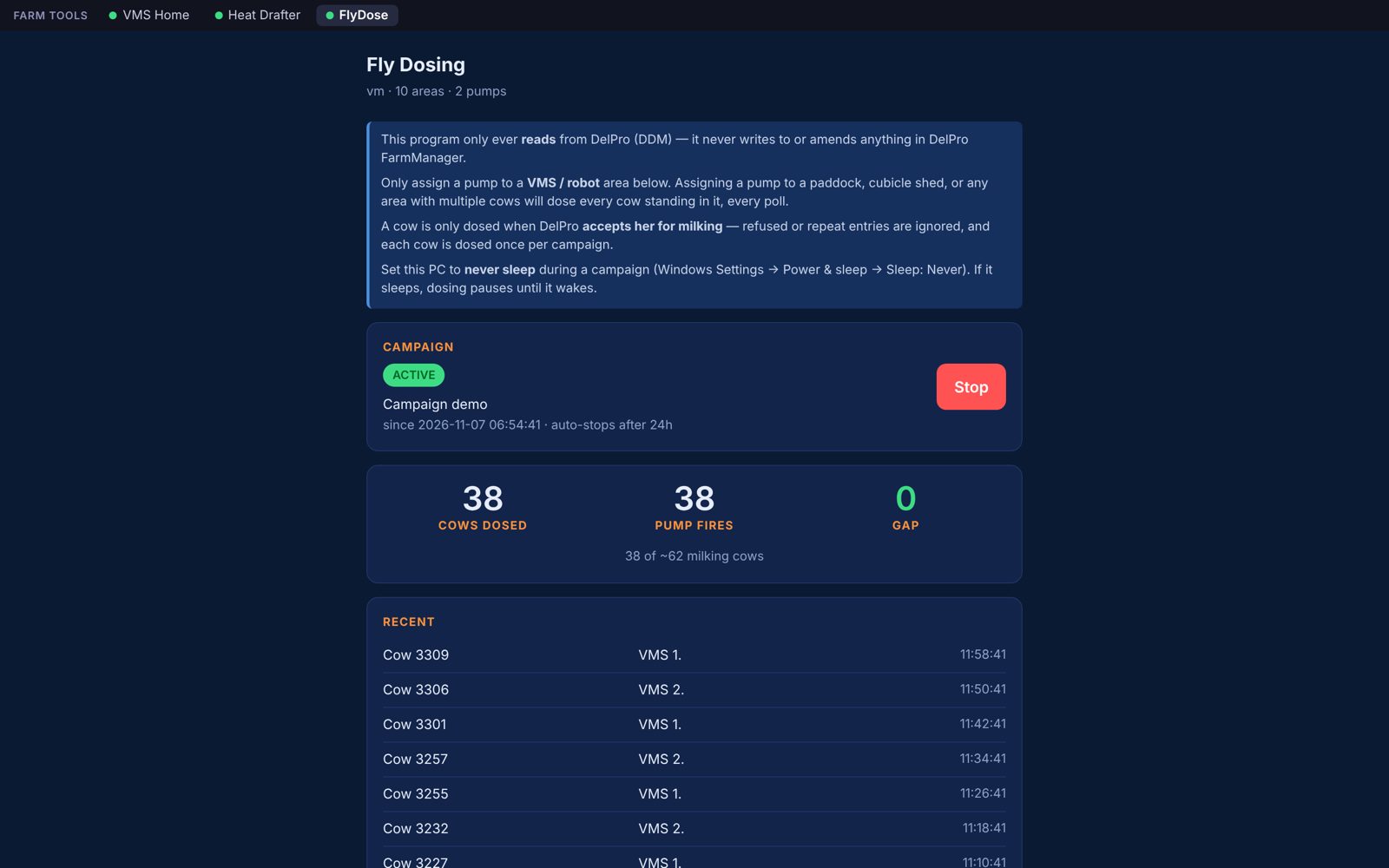
Cows dosed against pump fires, so a missed dose shows straight away.
Tip: a read-only login (level 4) is enough. No need to give it more.
Login box says
Use your farm management software email and password. A read-only (level 4) password works fine.
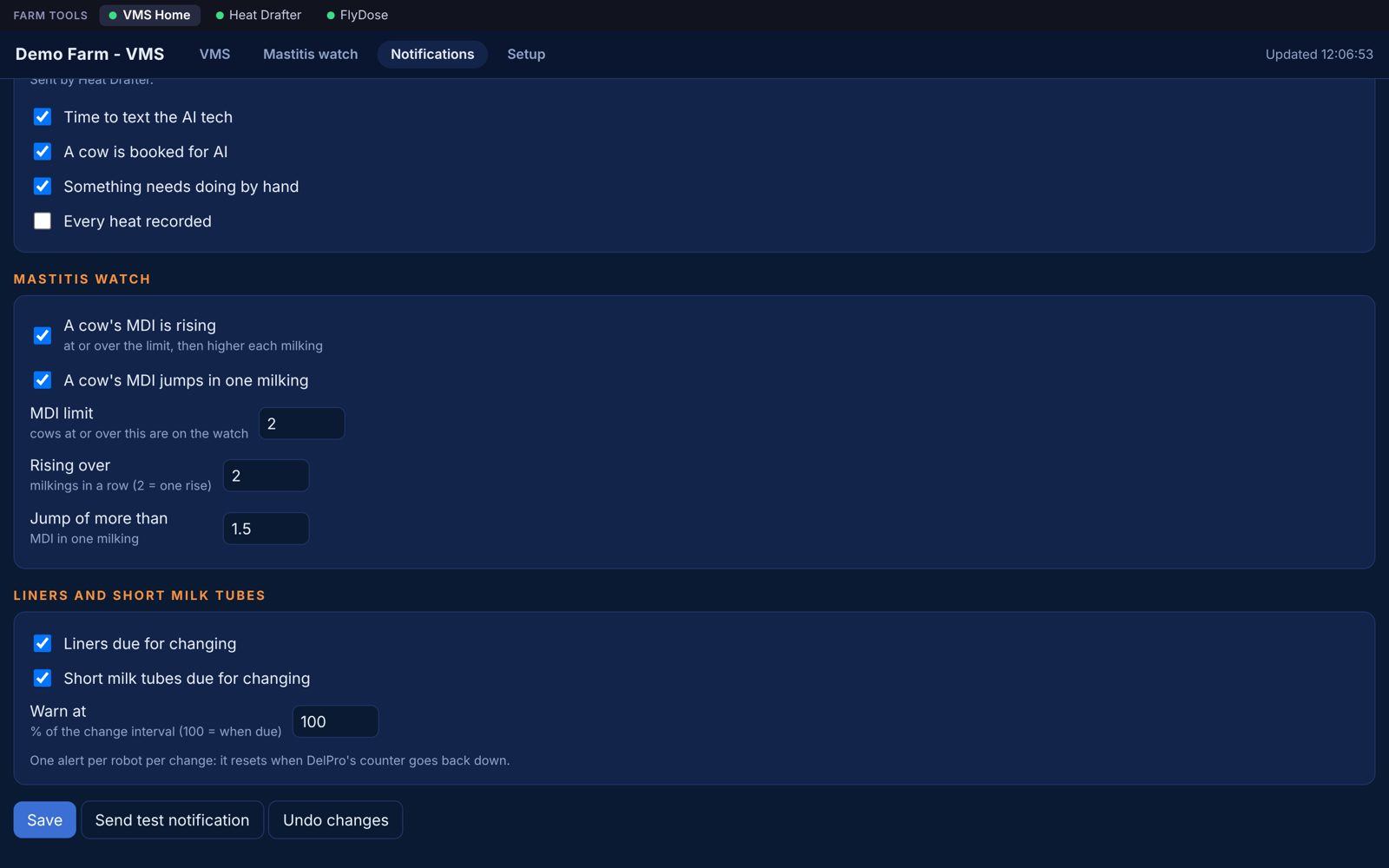
Telegram, ntfy, email or in-app alerts on your phone, for every program, each alert with its own switch:
In-app alerts are ordinary phone notifications through Herd Remote, so no other app is needed.
Open the same pages away from the farm.
It uses Tailscale, so only your own devices can get in. Nothing is opened to the internet.
There is a Remote access page in the menu that walks you through it.
Run Setup Farm Tools on the DelPro PC and pick which programs you want.
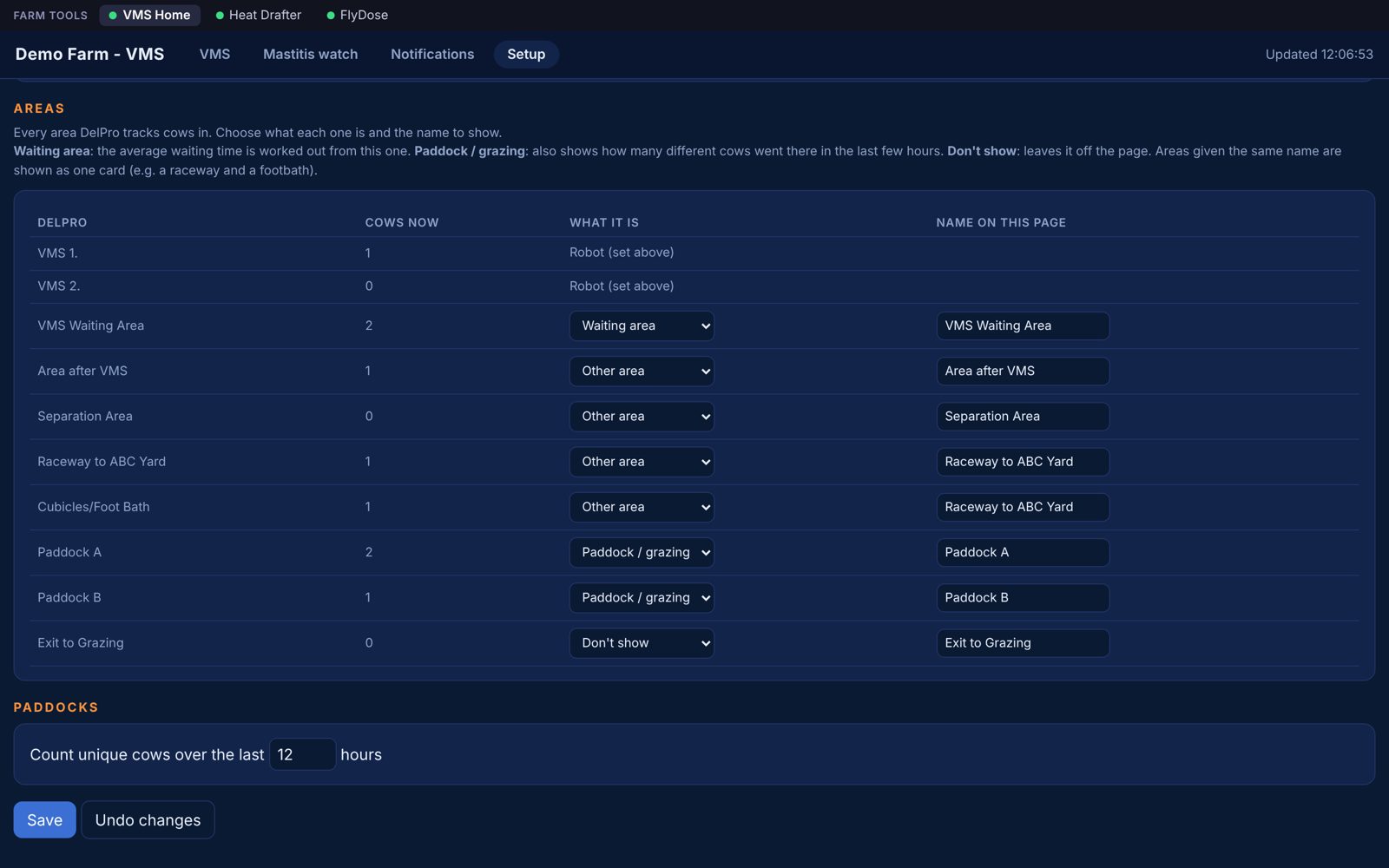
On the Setup tab, say which area is the waiting area and name the rest.
Then you're done. Each program gets a shortcut and can start with Windows.
New versions come in from the Licence & updates page. No reinstalling.
Farm Tools has been running on a working two-robot farm, and it is built to leave DelPro alone.
Reads
Herd Home, Herd Dose and Herd Remote only read from DelPro. They never change anything in it.
Settings
It does not change DelPro settings, robot settings, feeding, milking or any cow's details.
Writes
The only thing Herd Draft changes is which group a cow is in, using DelPro's own import. It checks her group before and after every move, and leaves her alone if she has been moved by hand.
If a program stops, DelPro carries on exactly as it did before.